A tour of the screens
The sidebar shows the screens your role can use. At its top is the portfolio switcher: every screen shows the portfolio picked there, one at a time. At its bottom are what's new ↗, sign out, and your e-mail and role.
The screenshots on this page show an example portfolio with made-up numbers.
The guided tour
On a computer, the same ground is covered by a seven-step tour over your own portfolio. It's offered at the end of setup, and settings › take the tour runs it again. See Your first hour.
Everyone
overview
Your home screen. At the top, the portfolio's value right now, its change with your deposits and withdrawals left out, its net yield (APY), and its return over 24 hours, 7 days, 30 days and all time. Below, a chart of the value over time and four rings showing where it sits: by account, chain, protocol, and asset or position.
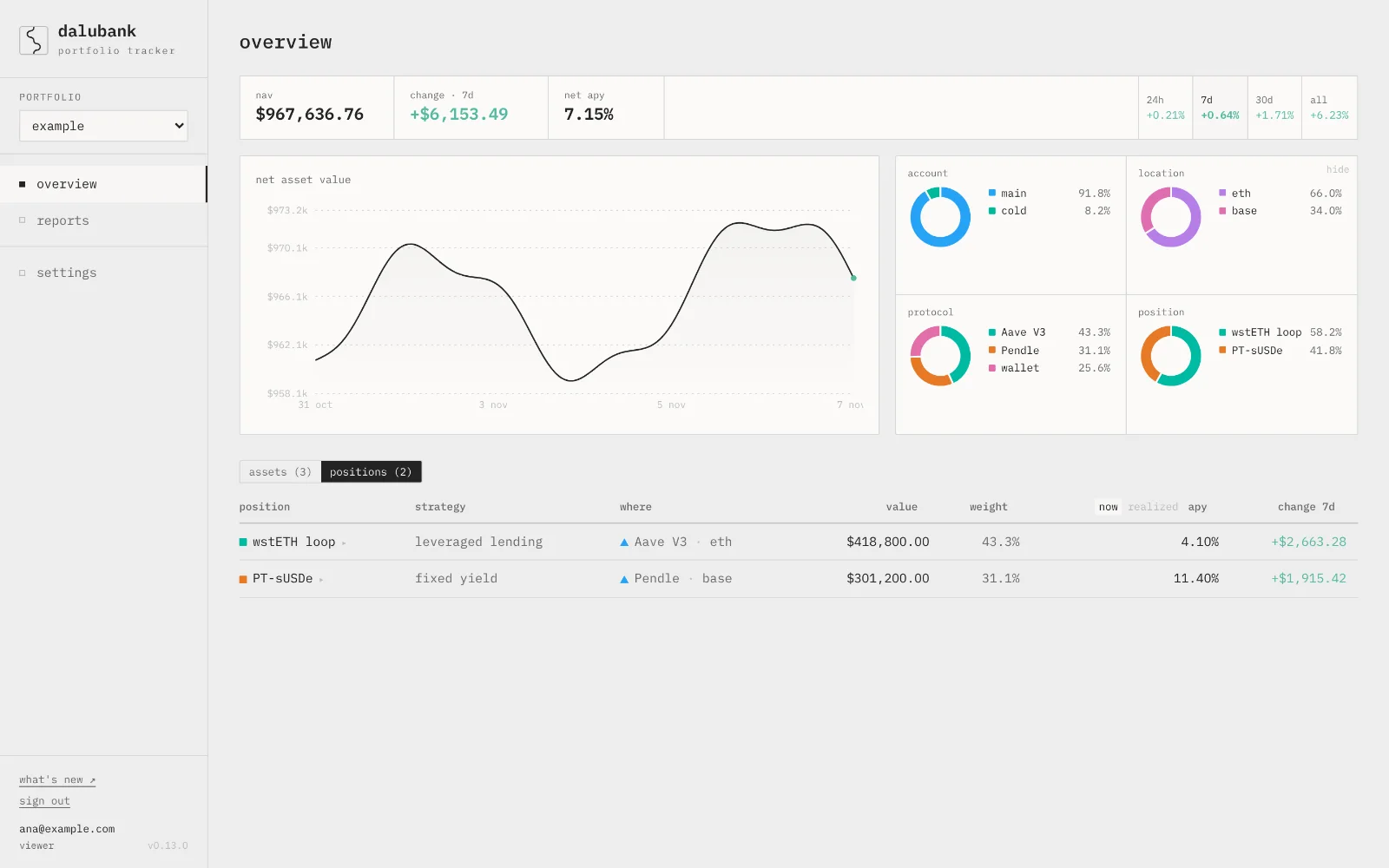
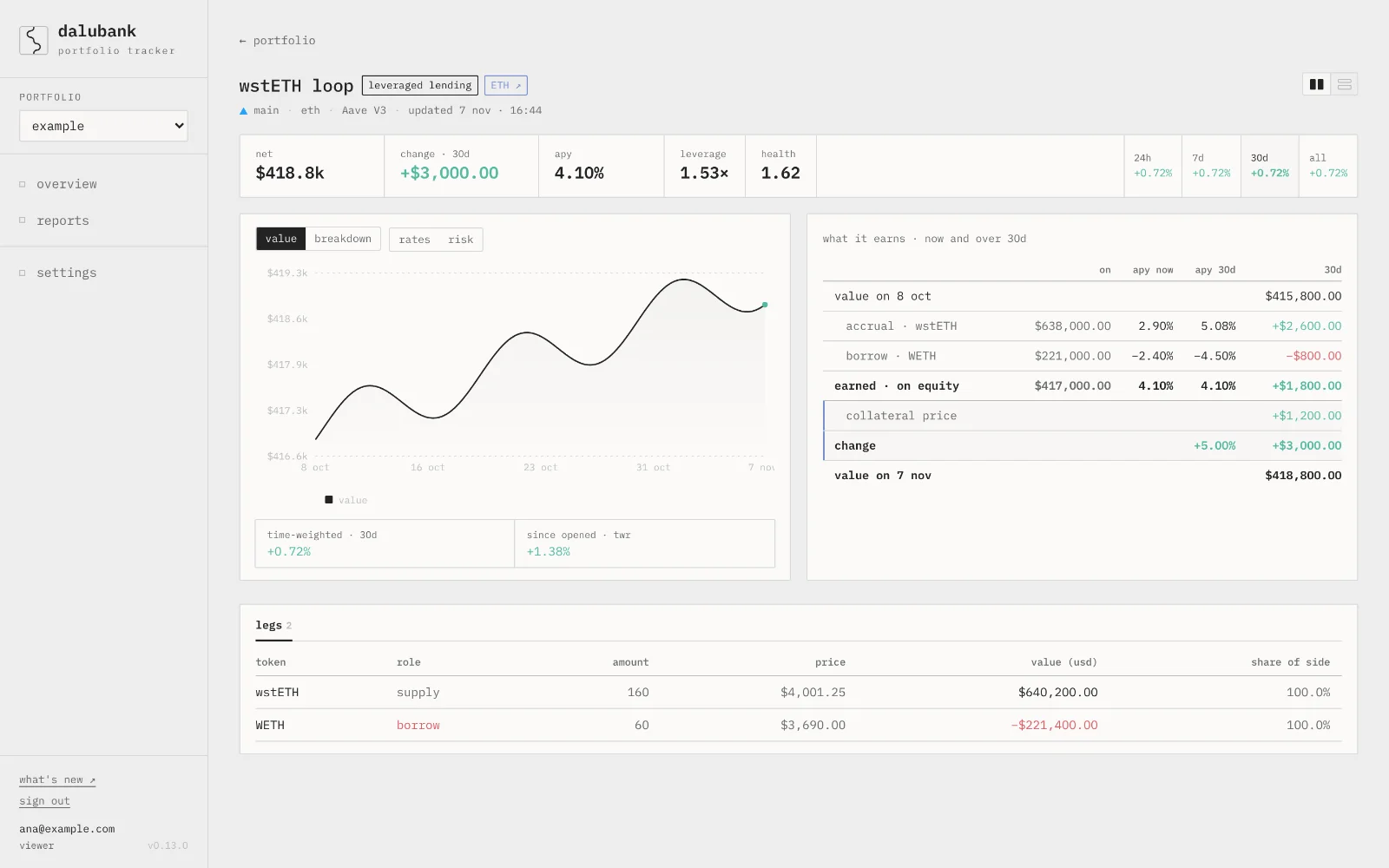
The table at the bottom switches between assets (plain tokens) and positions (lending, Pendle, vaults, LPs…). Every row opens into its own page, and from there any token's price has one too:
- a position shows its legs (what's supplied, what's borrowed), what it earned, its rates, and where its return came from: yield, borrow cost, rewards and price;
- an asset shows every place you hold it and what it's done;
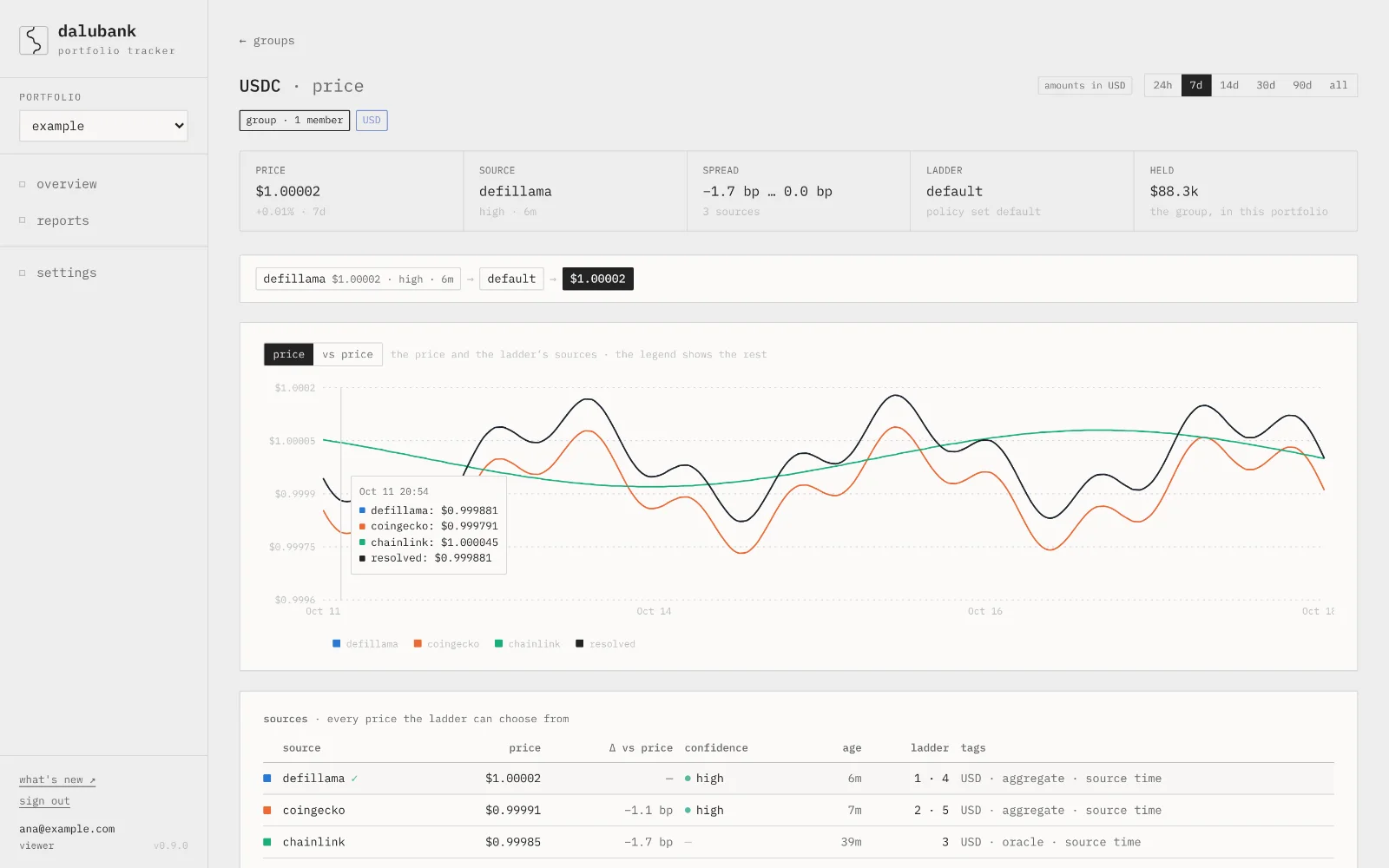
- a price shows the price used, which source it came from, and every other source it was checked against.
reports
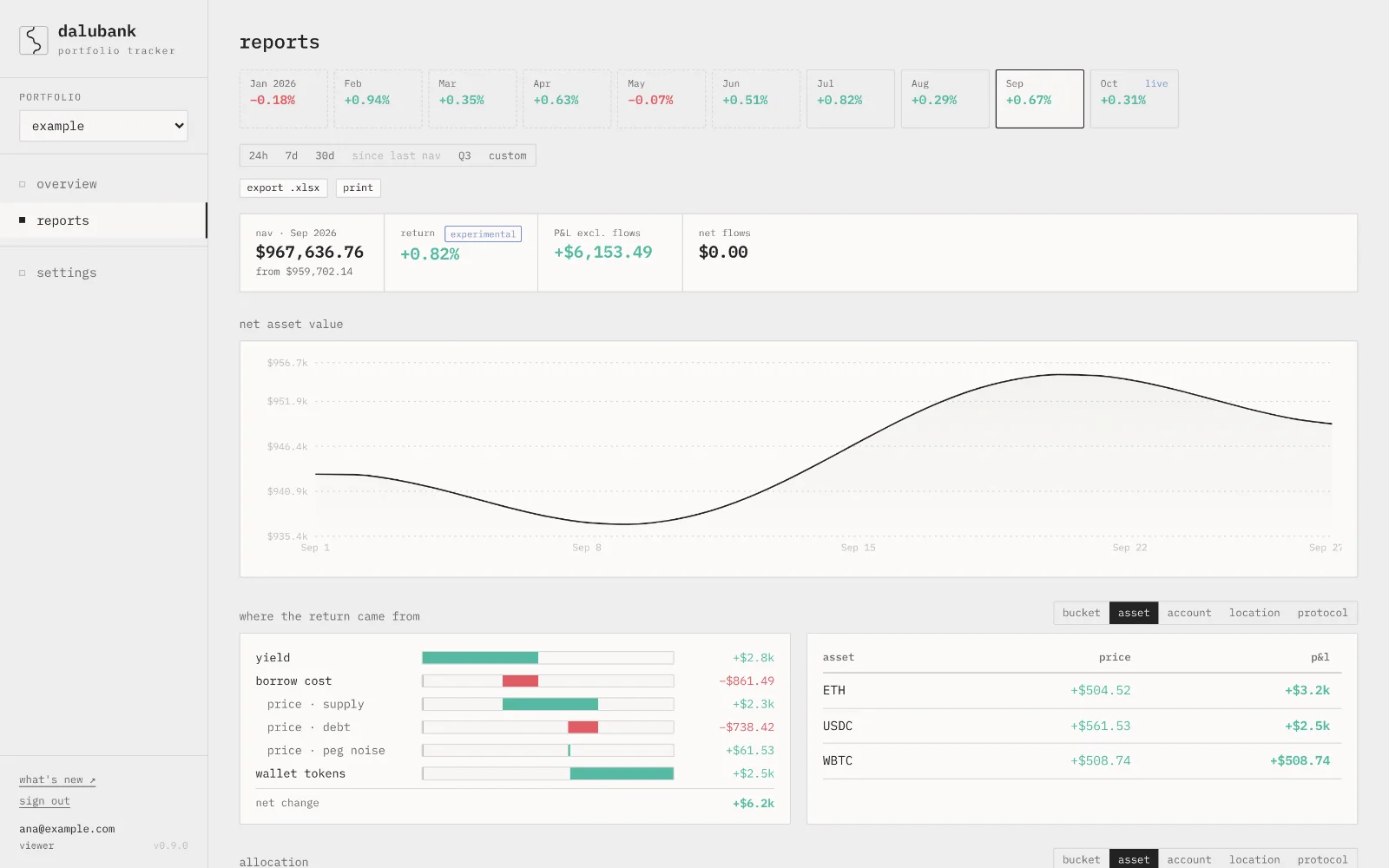
How the portfolio did over a period, anchored on its month-end values: pick a month from the strip at the top, or a range. Each report shows the value, the time-weighted return, profit and loss with your deposits and withdrawals taken out, where the return came from (by bucket, asset, account, chain or protocol), how the allocation changed, and every holding's result. export .xlsx downloads it; print prints it. Return figures are labelled experimental: see Performance & returns.
Operators also get a plan tab: a what-if on the live holdings, prefilled with their current rates.
settings
Your own account: your role, a link to your dalu account for password and two-factor, your sessions, API keys, display currency, theme, and the tour. See Signing in.
Operators
Operators also get the operations group.
dashboard
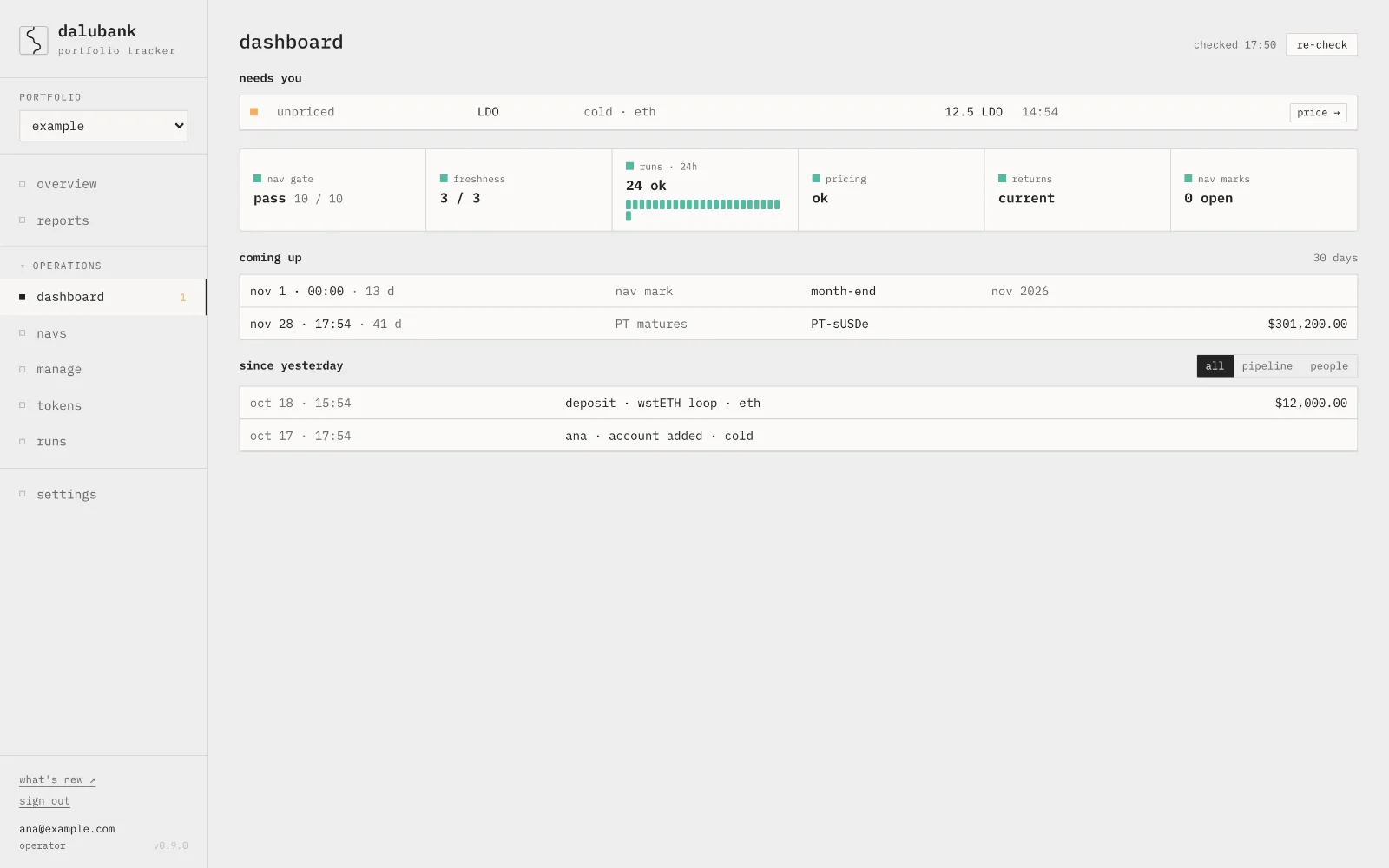
The daily check. needs you lists anything that needs a look, such as a token with no price or a sudden jump; the same count shows as a badge beside dashboard in the sidebar. A strip of checks shows whether the value is complete, how fresh the data is, the last day's runs, pricing, returns and open month-end values. Then what's coming up in the next 30 days (a month-end value, a Pendle PT maturing) and what happened since yesterday.
navs
The portfolio's official month-end values (NAVs): the ones waiting to be closed or confirmed, each schedule's history, and the schedules themselves. It's hidden for a portfolio that doesn't report on them.
manage
The portfolio's setup, in tabs:
- accounts: add or edit wallets and exchange accounts;
- manual: holdings dalubank can't read, entered from dated statements;
- rewards: which position each reward belongs to;
- migrations: link capital that moved from one position to another, so its return follows it;
- coverage: which chains and exchanges the portfolio scans;
- portfolio: its name, description, display currency, whether it reports month-end values, and who can access it.
tokens
Pricing and grouping for the tokens the portfolio holds: held tokens, matches to review, groups of the same asset across chains, and the portfolio's price policies.
runs
The hourly runs, newest first. The newest one opens compared with the run before it: what moved, what's new or gone, and the run's snapshots. Pick an older run from the list on the left to see what has happened since.
alerts
Shown when the install is linked to daluwatch, the dalu alerter: switch it on for the portfolio, see which positions are watched, and how daluwatch's checks are running.
Admins
administration
Everything that applies to the whole install: users (invite, set roles, switch off), portfolios (create and deactivate), access requests from the landing page, api keys, the audit log, logs, org rpc endpoints, and locations & adapters. Admins also get a system tab in settings.
On your phone
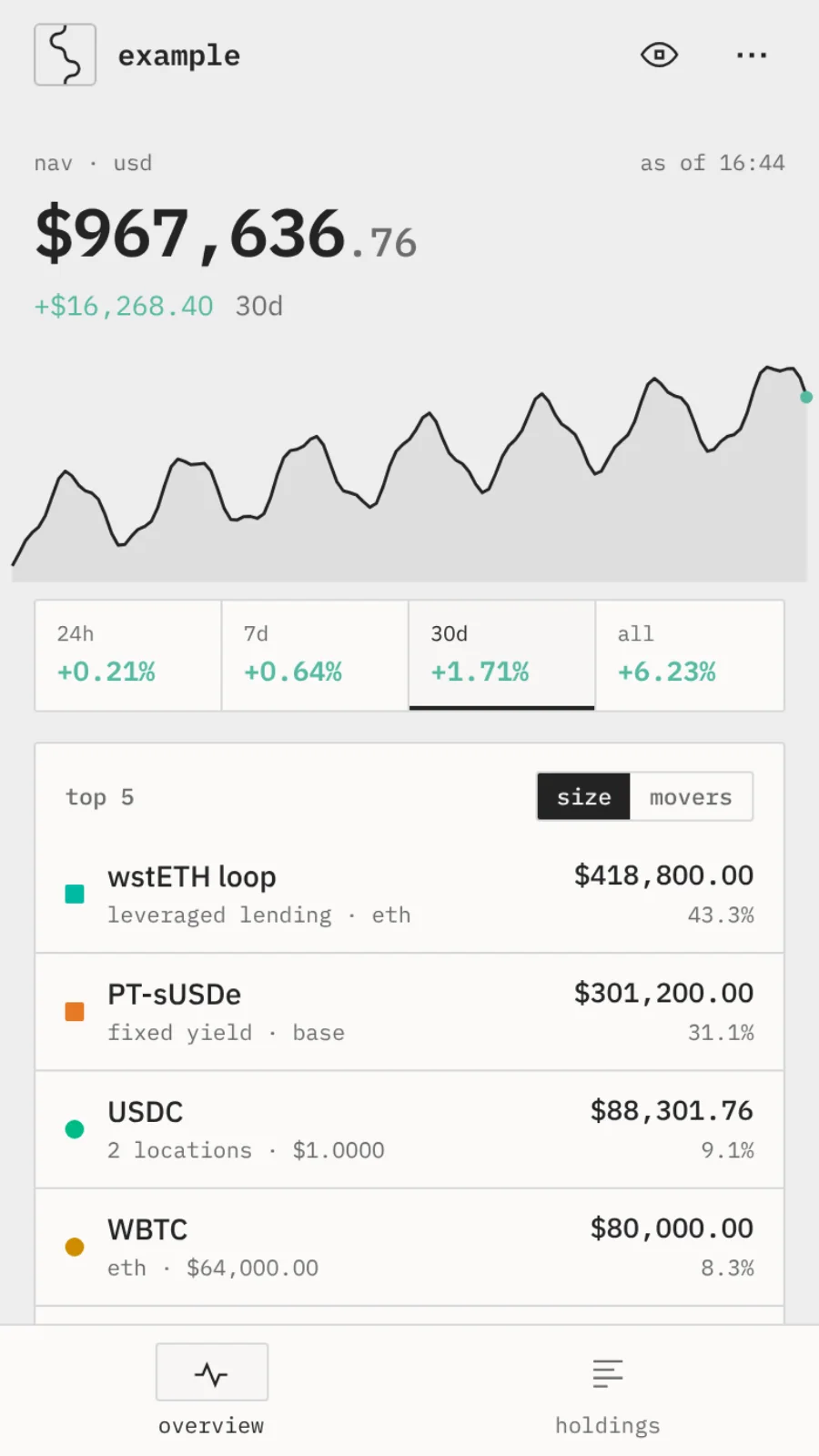
The companion at /m is a read-only view built for a phone: the value and
its chart, your biggest holdings, and every holding with its own page. Operators
also get an operations tab with the dashboard's checks. Its menu switches
the theme, hides amounts, opens the full site, or signs you out. On a narrow
screen, the sidebar's compact view link takes you there. You can add it to
your home screen like an app.
Setup isn't done on a phone: until a portfolio tracks something, the companion shows a card with the address to open on a computer.